Credits Issued During the Application and Leasing Process
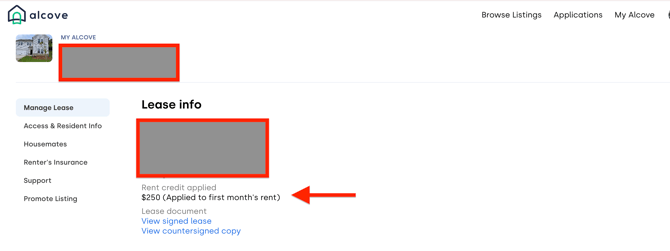
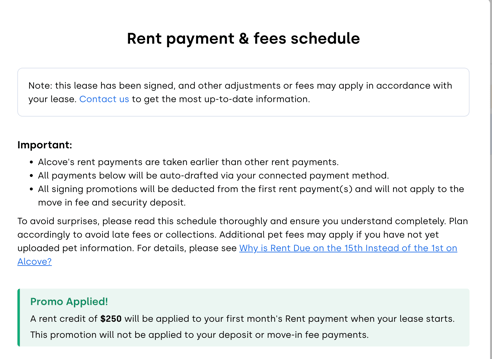
If you received a rent credit or promotion from either your landlord or Alcove during the application process, it will be visible in your Alcove portal under the "Lease Info" section. The credit will also be reflected in your "Rent Payments & Fees" schedule.
One-Time Credits Issued During Your Lease
If you received a one-time (one-off) credit from your landlord or Alcove during the course of your lease, the credit is applied internally to your billing account.
These credits do not appear in advance on your billing page or future rent schedule. Instead, they are automatically deducted from your next charged invoice
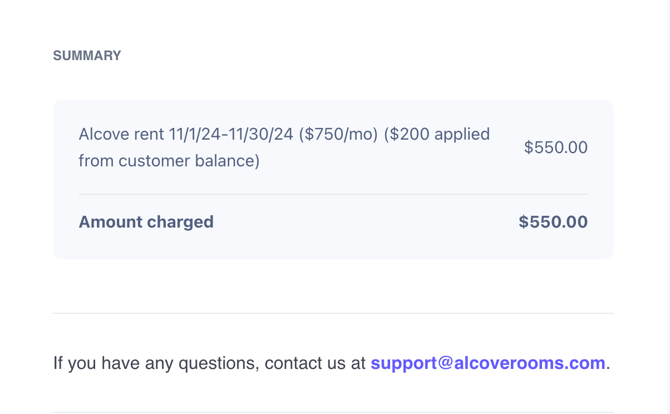
Once a credit is applied to a charged invoice, it will appear on your receipt as "$ applied from customer balance".